
moomoo: Investing & Trading
Moomoo Technologies Inc.Finance
4.45.21K Reviews
- Version
- 16.29.26508
- Installs
- 5.00M
- Age Rating
- Everyone
Screenshots
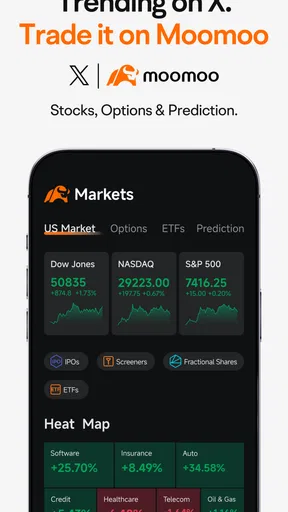
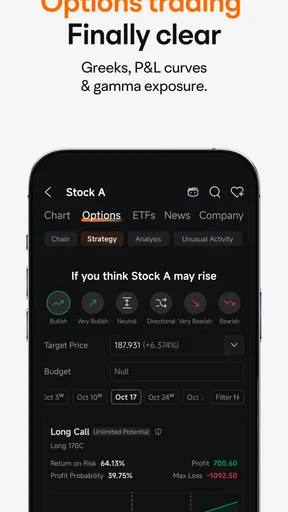
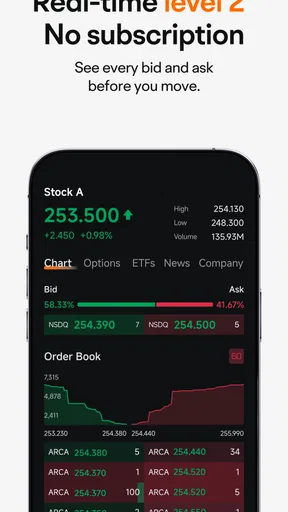
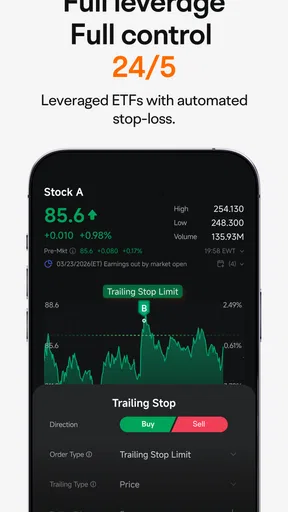
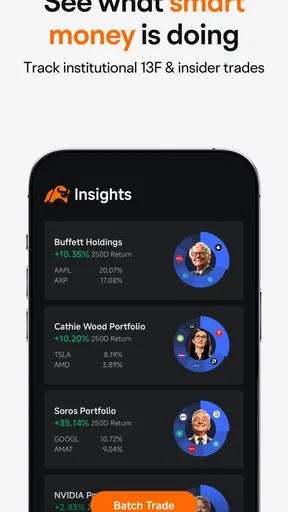
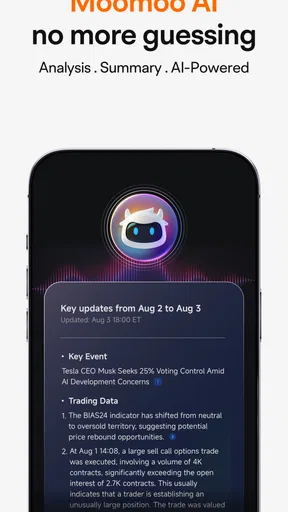

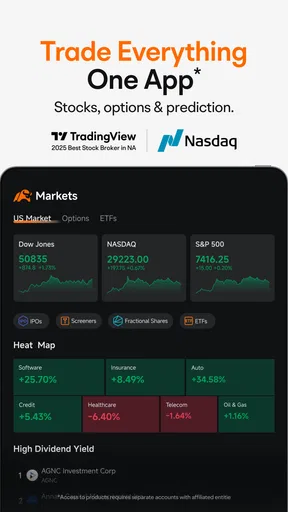
Our Review of moomoo: Investing & Trading
 Analysis by Appyee
Ever thought of diving into the world of investing but felt overwhelmed by all the jargon and complex platforms? Well, let me introduce you to moomoo: Investing & Trading. This app is like having a friendly financial advisor right in your pocket, minus the hefty fees. I’ve been exploring it for a while, and here’s the lowdown on what makes it tick.
First Impressions: Getting Started
When you first open moomoo, the clean layout immediately stands out. It doesn’t bombard you with too much information at once, which is a relief if you’re just starting out. Signing up is a breeze. Just a few taps and you’re ready to explore the vast world of stocks, ETFs, and more. Plus, the app offers a demo trading feature. So, you can practice without risking any real money. How cool is that?
What to Expect Before You Trade
I’d treat this as a research-and-trading workspace, not as a shortcut to picking winning investments. The app is free to download, and Moomoo Technologies Inc. is the developer. It has a 4.5 average from around 48,000 ratings, with over a million installs. Those figures suggest a well-used product, but they don’t tell you whether its investing style will suit you.
The main appeal is having market information, analysis tools and trading-related features together on a phone. That can be useful when you want to check a company after reading about it, compare an ETF with an individual stock, or follow a market move without opening several apps. The trade-off is that an abundance of charts and commentary can make investing feel more urgent than it needs to be. I’d use the information to form questions, not treat every alert or price move as a reason to act.
Its finance focus makes the most sense for people who want to learn by exploring markets and are willing to check what they’re looking at. If you only want a simple place to see a long-term portfolio balance, a bank’s investing section or a deliberately minimal portfolio tracker may feel calmer. If you want to research individual stocks and ETFs, moomoo offers a more involved starting point.
A Calm First Setup
After installing, I’d begin by looking around before making any decisions. The app is listed for Everyone and requires Android 7.0 or later. It is also available as a finance app on iOS. Its current version is 16.5.24108, and the product has been around since November 9, 2018. In-app purchases are listed from $0.99 to $399.99 per item, so I would read any purchase prompt carefully rather than assuming every extra is included just because the download is free.
For a first session, choose a company or ETF you already recognize and use it as a familiar example. Look at the available chart and company information, then note what you still need to understand: how the business earns money, what could affect it, and whether you are researching or actually considering a trade. This small routine helps keep a busy interface from turning curiosity into an impulsive order.
It’s also worth deciding what you want notifications to do for you. Alerts can be useful when they draw attention to a development you planned to follow, but frequent market updates can become noise. I prefer to make an alert serve a specific question—such as whether a watched investment has moved significantly—rather than enabling every notification and reacting to each one.
Features That Pack a Punch
Now, let’s talk about the features. One of my favorites has to be the real-time market data. You can track your favorite stocks with up-to-the-minute precision. This is crucial when making informed trading decisions. The app also offers a plethora of analytical tools. You can dive deep into charts, indicators, and financial calendars. It’s like having a mini Wall Street on your phone.
For a beginner, the useful move is to add context before adding complexity. A chart can show how a price has behaved, but it cannot explain on its own why it moved or whether the same pattern will continue. I’d start with a simple time range and only add indicators when I can explain what question each one is meant to answer. Several lines on a chart may look sophisticated while making the decision less clear.
Financial calendars and company information can help turn a vague hunch into a research checklist. If a stock catches your eye, use the available information to see what events or business details you should investigate next. Then step away and compare that view with a less time-sensitive source before acting. This is a practical way to use a phone-based platform without confusing quick access with complete due diligence.
Another neat feature is the community aspect. You can join discussions, share insights, and learn from other users. It’s perfect for those who appreciate a second opinion before making a big move. Plus, the app’s learning section is gold for anyone wanting to brush up on their investing knowledge.
I’d approach community posts as prompts, not recommendations. A confident-sounding explanation can omit risks or reflect someone else’s goals and time horizon. When a post gives me an idea, I’d check the underlying company or fund and write down the reason it might not work as well as the reason it might. That quick counterargument is especially useful when a discussion is lively and the temptation is to follow the crowd.
Your First Meaningful Action
A good first success does not need to be a trade. Try following an investment you understand, checking its chart and available company details, and writing down what you learned. If you want to practise an order flow, the demo trading feature lets you explore without risking real money. Treat that practice as a way to learn the steps and notice how you respond to price changes, not as proof that a real trade will behave the same way.
Here’s a realistic use: you hear a company mentioned during the day, open the app on your commute, and look it up rather than buying immediately. You can review its price history and available information, save it for later, and return when you have time to research properly. That is a more useful first interaction than trying to turn a spare minute into an investment decision.
Before placing any real order, make sure you understand the order details and the risks of the investment itself. A trading app can make execution convenient, but convenience does not make a stock or ETF appropriate for your circumstances. If your aim is regular, diversified saving with minimal involvement, compare the app’s active research experience with a simpler, longer-term investing option before committing.
Common Confusion and Everyday Friction
The most common trap for a new user is reading “real-time” as “must act now.” Fast-changing prices are information, not instructions. A chart that looks compelling over a short period may look very different over a longer one, and indicators can disagree. I find it helps to decide what I am trying to learn before opening the chart, then close it once I have answered that question.
Another point to keep straight is the difference between learning, researching and trading. The learning section can help explain concepts; research tools can help you examine an investment; neither removes the need to judge risk for yourself. Demo practice is useful for familiarity, but it does not put real money at risk and should not be mistaken for a test of how you will feel when your own funds are involved.
Compared with a basic brokerage app, moomoo feels more oriented toward active market watching and analysis. Compared with a dedicated news reader or a simple tracker, it brings more trading context into the same place, which can save app-switching but also means more to filter. That balance is the key choice: people who enjoy investigating individual investments may appreciate the depth, while anyone who wants a quiet, set-and-check routine may prefer fewer tools and fewer prompts.
User Experience: Smooth Sailing
The user experience on moomoo is smooth, to say the least. Navigation is intuitive, making it easy for even the least tech-savvy among us to find our way around. The interface is sleek, and transitions between different sections of the app are seamless. No annoying lags or crashes, which is always a plus.
Notifications are another thing the app gets right. They’re timely and relevant, ensuring you never miss out on crucial market updates. Whether it’s a sudden drop in a stock you’re eyeing or a breaking news alert, you’ll be in the loop.
Still, smooth navigation does not make every screen equally useful to every person. If you are new to finance, expect to learn a few terms as you explore. I would resist trying to understand every chart control on day one. Pick one research task, learn the part of the interface that supports it, and leave the rest until you have a reason to return.
Security: A Top Priority
In the world of investing, security is paramount. Rest assured, moomoo takes this seriously. The app employs advanced encryption to protect your data, and it’s regulated by top financial authorities. So, you can trade with peace of mind, knowing your investments are in safe hands.
I would still make security part of my own setup rather than relying on reassurance alone: use a strong, unique password and take care when reviewing account or transaction details. Security measures protect access and information; they do not prevent market losses or make an investment suitable. Keeping those two ideas separate is important for anyone starting out.
Who It Suits, and When I’d Choose Something Else
I’d recommend trying moomoo if you want to research stocks and ETFs, enjoy seeing market details, or want a demo environment to become more comfortable with trading concepts. It can also suit an investor who likes checking a watchlist and learning from charts, as long as they can avoid treating every fluctuation as a signal.
I’d skip it—or at least compare it carefully—if you want investing to stay almost invisible in your day. A simpler service may be better for someone who mainly wants a basic long-term portfolio and does not want community discussion, chart analysis or frequent market information in the same experience. Likewise, anyone expecting the app to choose investments or guarantee good results will be disappointed: research tools support your judgement, they cannot replace it.
For everyday use, I’d set a short routine: check a few investments you already understand, review only the information relevant to your plan, and leave any trade decision until you have time to think. That makes the app a research companion rather than a constant stream of reasons to act.
Final Thoughts: Is It Worth Your Time?
So, is moomoo: Investing & Trading the app for you? If you’re looking for a user-friendly platform with a wealth of information and tools, then absolutely. It’s perfect for both beginners and seasoned investors alike. The combination of real-time data, analytical tools, and a supportive community makes it a standout choice in the crowded field of trading apps.
Give it a whirl, and you might just find yourself hooked on the world of investing. Who knows? The next big stock market success story could be yours, all with a little help from moomoo.
Verdict
Strengths of moomoo: Investing & Trading
- User-friendly interface for beginners.
- Real-time market data updates.
- Commission-free trading options.
- Educational resources for new investors.
- Customizable alerts and notifications.
Limitations of moomoo: Investing & Trading
- Limited cryptocurrency offerings.
- Occasional app performance lags.
- No access to international markets.
- Advanced tools require premium.
- In-app ads can be distracting.
Similar Picks in This Category
View All
Google Wallet
Google LLC4.3

Airtel: Recharge, Bank & Loans
Airtel4.0

PayPal - Pay, Send, Save
PayPal Mobile4.2

DANA Indonesia Digital Wallet
PT Espay Debit Indonesia Koe4.5

Binance: Buy Bitcoin & Crypto
Binance Inc.4.8

Cash App
Block, Inc.4.7
Frequently Asked Questions
What is moomoo: Investing & Trading?
Moomoo is a comprehensive investment and trading app designed for both beginners and experienced traders. It offers a wide range of features, including real-time data, advanced charting tools, and commission-free trading. With its user-friendly interface and educational resources, it aims to empower users to make informed financial decisions.
Is moomoo safe to use for trading?
Yes, moomoo is considered safe for trading. It is regulated by financial authorities and implements industry-standard security measures to protect user data and transactions. Additionally, it offers features like two-factor authentication to enhance security. However, as with any trading platform, users should ensure they understand the risks involved.
What are the main features of the moomoo app?
Moomoo provides a variety of features including commission-free trading, real-time market data, customizable charts, and advanced analysis tools. It also offers educational content and a community for users to share insights and strategies. These features are designed to cater to traders of all experience levels, from beginners to professionals.
Are there any fees associated with using moomoo?
While moomoo offers commission-free trading, there may be other fees involved, such as regulatory or exchange fees. It's important for users to read the full fee schedule provided by the app to understand any potential costs. Additionally, some advanced features may require a subscription or additional payment.
Can beginners use moomoo effectively?
Yes, moomoo is designed to be accessible for beginners, offering educational resources and a user-friendly interface. It provides tutorials, articles, and community support to help new traders understand the market. The app's intuitive design and comprehensive tools make it an excellent choice for those new to investing and trading.
